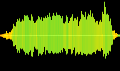
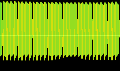
dinosaur roar 1
by Logicogonist

Description
• <a href="https://poppop.ai/ai-sound-effect-generator" rel="nofollow">https://poppop.ai/ai-sound-effect-generator</a>
• sound effect AI prompt: long brutal dinosaur roar
• Audacity (download it; it's free; to record URL and what-you-hear sounds)
• Ask Microsoft Bing Copilot (chatbot not searchbot) how to record sounds from URLs and what-you-hear.
• Audacity → View → Toolbars → Device Toolbar
• select the Audio Host (Windows WASAPI)
• choose the correct recording device (Loopback Option)
For example, you might see: "Speakers (Realtek High Definition Audio) (loopback)"
The sounds are carefully selected and remixed on WaveLab 11.
The sound is semicorrupt because it misses the high frequencies at the beginning of each roar subsection.
WaveLab 6 has a good harmonization tool for future edits.
______________________________________________________________
For a realistic dinosaur roar do this:
1. create a low-pitched human cry or AI file
2. add fleshy clicks mimicking the real basso profundo (bassophonous) animal cries; or copy crocodile vocal fleshy clicks
3. add ATTENUATED black metal vocals (screeches, shrieks, growls) to enrich the high frequency range
4. add an ATTENUATED variable-loudness 57 Hz frequency
5. add a VERY ATTENUATED variable-loudness 26 Hz frequency
6. add 25 ms phase shift (make one channel leading and one delayed by 25 ms)
For more interesting sounds each speaker should have a totally different sound that will have the exact same properties and add a backing mono channel but still with phase shift amongst channels
• sound effect AI prompt: long brutal dinosaur roar
• Audacity (download it; it's free; to record URL and what-you-hear sounds)
• Ask Microsoft Bing Copilot (chatbot not searchbot) how to record sounds from URLs and what-you-hear.
• Audacity → View → Toolbars → Device Toolbar
• select the Audio Host (Windows WASAPI)
• choose the correct recording device (Loopback Option)
For example, you might see: "Speakers (Realtek High Definition Audio) (loopback)"
The sounds are carefully selected and remixed on WaveLab 11.
The sound is semicorrupt because it misses the high frequencies at the beginning of each roar subsection.
WaveLab 6 has a good harmonization tool for future edits.
______________________________________________________________
For a realistic dinosaur roar do this:
1. create a low-pitched human cry or AI file
2. add fleshy clicks mimicking the real basso profundo (bassophonous) animal cries; or copy crocodile vocal fleshy clicks
3. add ATTENUATED black metal vocals (screeches, shrieks, growls) to enrich the high frequency range
4. add an ATTENUATED variable-loudness 57 Hz frequency
5. add a VERY ATTENUATED variable-loudness 26 Hz frequency
6. add 25 ms phase shift (make one channel leading and one delayed by 25 ms)
For more interesting sounds each speaker should have a totally different sound that will have the exact same properties and add a backing mono channel but still with phase shift amongst channels
Ad Space